Southern Wyoming Landscape

Digital Help Center

24/7 Digital Banking Tailored To Your Needs

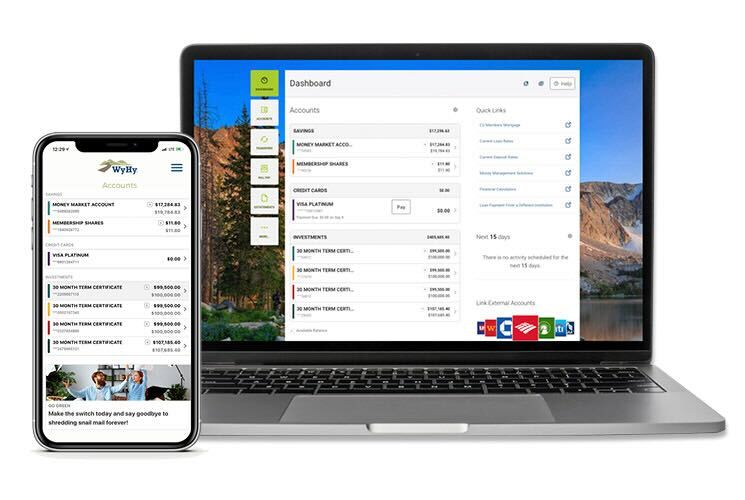
Welcome to the WyHy Digital Banking Help Center! Here you’ll find everything you need to know about using our online and mobile banking services. If you have any questions or need further assistance, please don't hesitate to contact us.
computer and mobile screen

Getting Started

How to Enroll in Online Banking

Enroll in Online Banking for secure, convenient access to your accounts anytime, from almost anywhere.

How to Download the Mobile Banking App

Download the WyHy Mobile App to securely manage your accounts anytime, anywhere, right from your phone.
Turn on Face ID or Fingerprint Login
Turn on Face ID or fingerprint login for a faster, easier way to access your account without entering your password every time you sign in.
Set up E-Statements
Get your statements faster, keep them securely at your fingertips, and skip the $2.50 paper statement fee. eStatements are convenient, secure, and free!
Forgot Password
Forgot your password? No problem. You can quickly reset it and get back to your accounts.
One Time Passcodes
One-time passcodes add an extra layer of security by verifying it’s really you when you log in or make certain account changes.
Block Lost or Stolen Card
Can’t find your card or think it may have been lost or stolen? Blocking your card can help prevent new transactions while you figure out what happened. It’s a quick way to add an extra layer of protection to your account. 
How to Set up eAlerts
 

Set up eAlerts to stay on top of important account activity, receive helpful notifications, and add a travel alert before your next trip.

How to Report Fraud

If you spot a transaction you don’t recognize, report it right away to help protect your account and prevent further fraud.

Update Your Pin Number
Update your PIN if you think someone may know it, you’ve shared it in the past, or you simply want a number that’s easier for you to remember. Changing your PIN is a quick way to help keep your card secure.
Setting up Automatic Payments 
Set up automatic payments to make paying your bills easier, stay on schedule, and worry less about missing a due date.
Make a Loan Payment Online

Make your WyHy loan payment online for a quick, convenient way to stay on top of your payments from wherever you are.

Link an External Bank Account
Link an external bank account to easily move money between your WyHy accounts and accounts you have at other financial institutions.
Confirm Your External Account
Confirm your external account to securely finish the setup and start transferring money between your linked accounts.
Update Your Address
Keep your information current by quickly updating your address in Online or Mobile Banking whenever you move.
Cloudflare Verification

Learn what Cloudflare verification is, why you may see it when logging in, and how this added security step helps protect your Online and Mobile Banking access.



Questions? We Have Answers!

Need assistance or have inquiries about our services? Our team is here to help! Contact us today and get the answers you need.

Explore More

person typing on computer

WyHy Security Center

Visit the WyHy Security Center for the latest tips and tools to keep your financial information safe. Learn about two-factor authentication, fraud prevention, and more.
Older woman beautiful earrings

Monday Messages 

Check out WyHy Monday Messages for financial news, money-saving tips, and tricks to boost your budget. Stay informed and make the most of your money every Monday!